
Simple XLS with Caxlsx gem
I needed this gem for one of my projects, I liked the capability and simplicity of it. In this quick tutorial, I will show how you can create a simple XLS te…
I needed this gem for one of my projects, I liked the capability and simplicity of it. In this quick tutorial, I will show how you can create a simple XLS template on your web app.
So let's get into this:
Setup:
1. Install Caxlsx ruby gem to your Rails project by following the guidance in the link.
2. We will also need something like Tempfile. This will help us to create files in the memory rather than saving it on the hard drive.
3. Ready Caxlx template. It can be dynamic rows/data or static depends on your needs.
Steps:
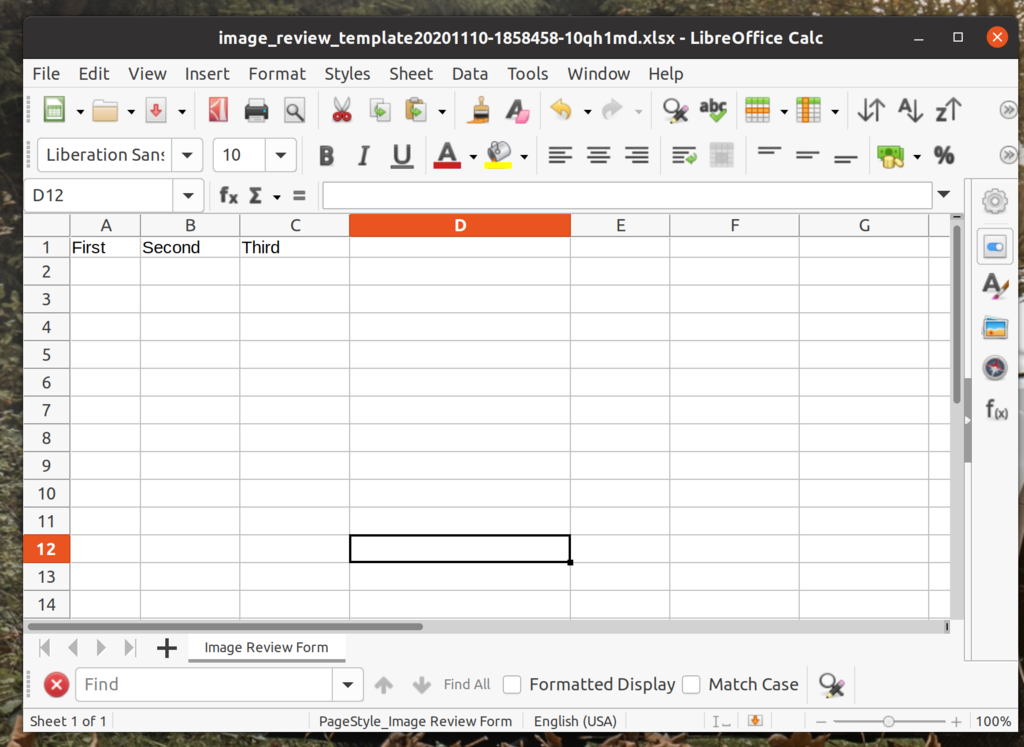
1. Create a caxlx helper. Now it can be a different implementation. In my project, all business logic goes to app/models, where the ActiveRecord models are in app/models/ar. Warning this is not a standard approach you can use a regular app/helper folder. The following example will build a simple Axlsx object with 3 rows - 'First, Second, Third' and render them into the virtual file 'Tempfile':
So let's get into this:
Setup:
1. Install Caxlsx ruby gem to your Rails project by following the guidance in the link.
2. We will also need something like Tempfile. This will help us to create files in the memory rather than saving it on the hard drive.
3. Ready Caxlx template. It can be dynamic rows/data or static depends on your needs.
Steps:
1. Create a caxlx helper. Now it can be a different implementation. In my project, all business logic goes to app/models, where the ActiveRecord models are in app/models/ar. Warning this is not a standard approach you can use a regular app/helper folder. The following example will build a simple Axlsx object with 3 rows - 'First, Second, Third' and render them into the virtual file 'Tempfile':
require 'axlsx'

class TemplateBulderLogic < BusinessLogic
  def build_xls_template(rows=nil)
    p = Axlsx::Package.new
    wb = p.workbook
    unless rows
      rows = ['First', 'Second', 'Third']
    end

    wb.add_worksheet(name: 'My Form') do |sheet|
      sheet.add_row rows
    end

    p.serialize(file = prepare_file('my_template').path)
    file
  end

  def prepare_file(file_name)
    temp_file = Tempfile.new([file_name, '.xlsx'], encoding: 'ascii-8bit')
    temp_file
  end
end
2. Controller. We will need to add logic to the controller.
def create_xls_template
  send_file(TemplateBulderLogic.build_xls_template)
end
3. Don't forget to create a simple get route to the create_xls_template.
get 'create_xls_template'
4. View. All we need is to add a link_to tag to the route we created in step 3:
<%= link_to 'Download XLS Template', create_xls_template_path %>
// keep reading

Indie Release Notes #6: MudQuest Reborn
MudQuest Reborn: Enhanced indie game with SwiftUI, new partnerships, and app updates for better performance
read→
Indie Updates: 413 Content Too Large
Struggling to scale down MudQuest project as deadline looms. Refocusing on real-time event finder. Key features outlined for completion
read→
Indie Release Notes #5
Discover MudQuest: the first social media app for off-road enthusiasts to organize and join real-time adventures and trail gatherings
read→